
Custom data fields and types
Create your own data fields and types in no time in a solution tailored to your needs.
The Custom Tables plugin is an essential tool that allows you to create and manage custom tables using Redmine custom fields.
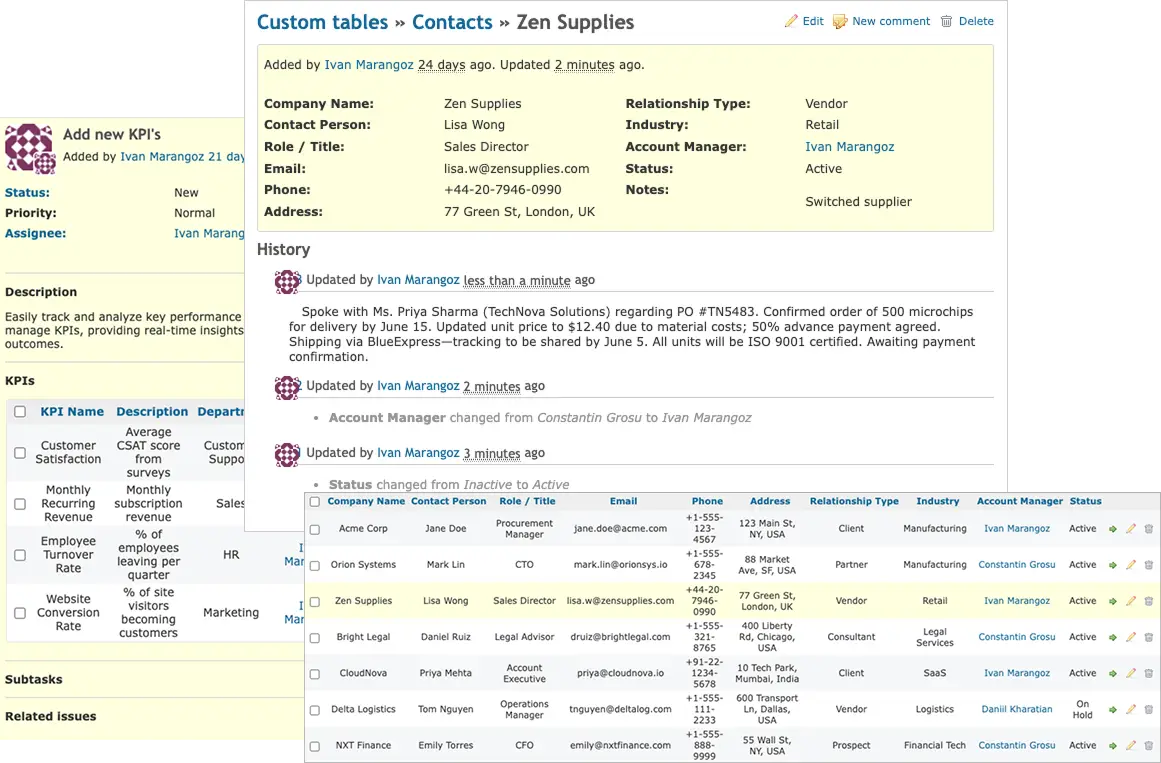
The Custom Tables plugin is an essential tool that allows you to create and manage custom tables using Redmine custom fields. It streamlines asset and configuration management while seamlessly integrating with Redmine to enhance your workflow and efficiency.
Manage your data centrally with a fully customizable solution powered by custom tables. Design your own data structures, define custom fields, and create tailored views and filters for clear, organized information.
Try custom tablesCreate your own data fields and types in no time in a solution tailored to your needs.
You can create your own data structure that will suit your application.
Filter or view your data using predefined filters or simply create yours.
Manage your data from a single point of contact and stay organized within one ecosystem.
No code experience is needed to operate within our add-on.
Create, use and manage your data and information in a system you are familiar with.
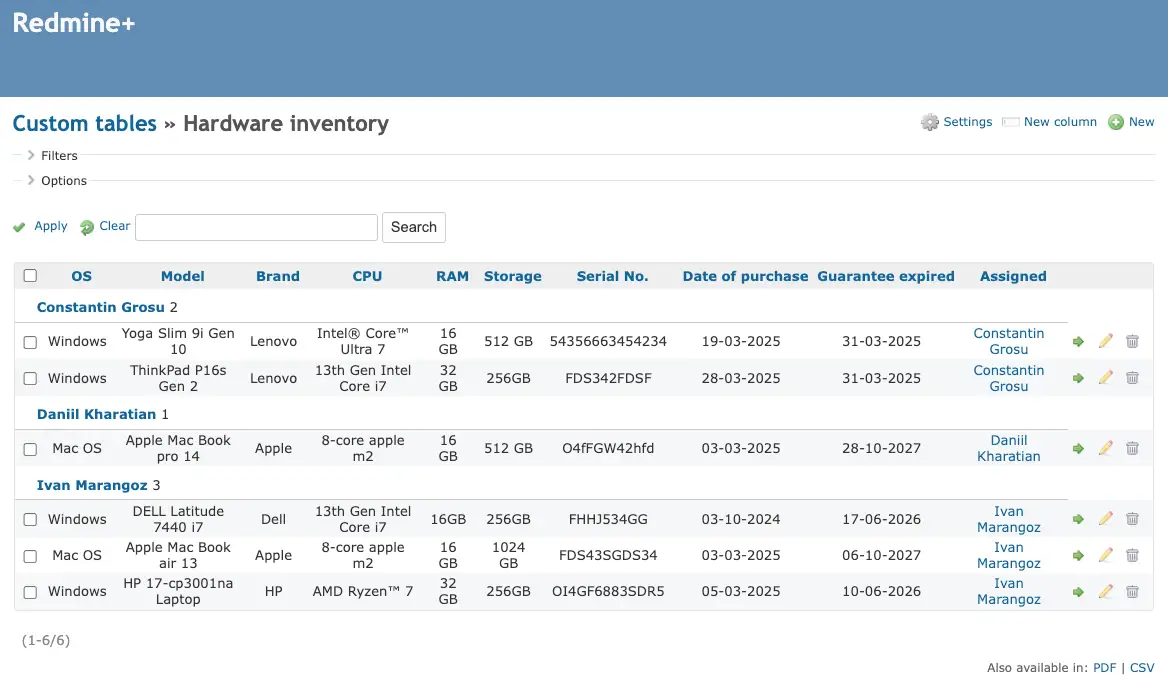
Manage computers, routers, printers, and easily identify their users and maintainers. Keep track of maintenance processes and history, ensuring all your company's hardware information is organized and accessible in one central location.
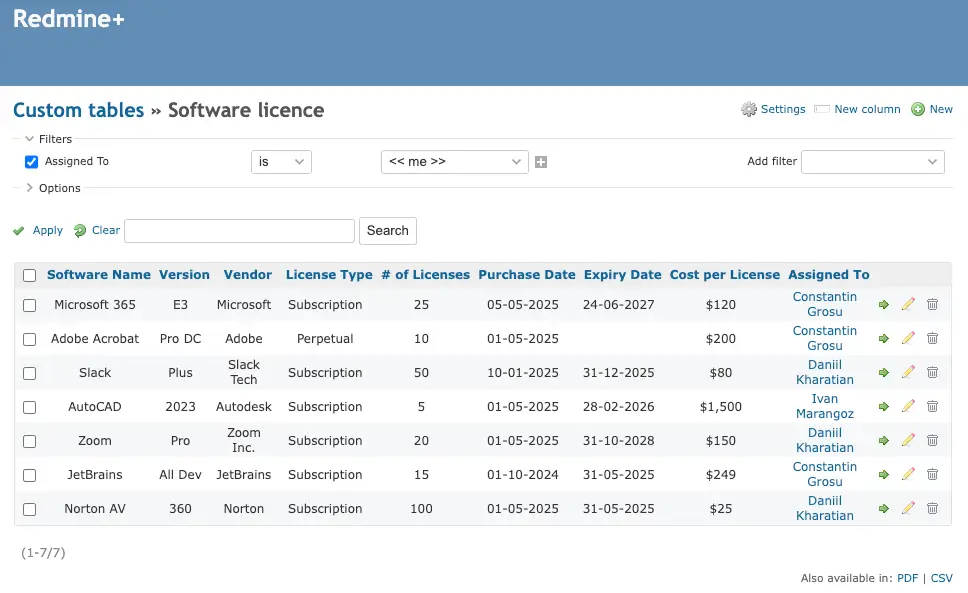
Track licences usage, owners, super-users, cost centers and expiration dates to optimize your current workflow and monitor usage patterns of your software assets. Ensure that all licences are up-to-date and without additional costs.
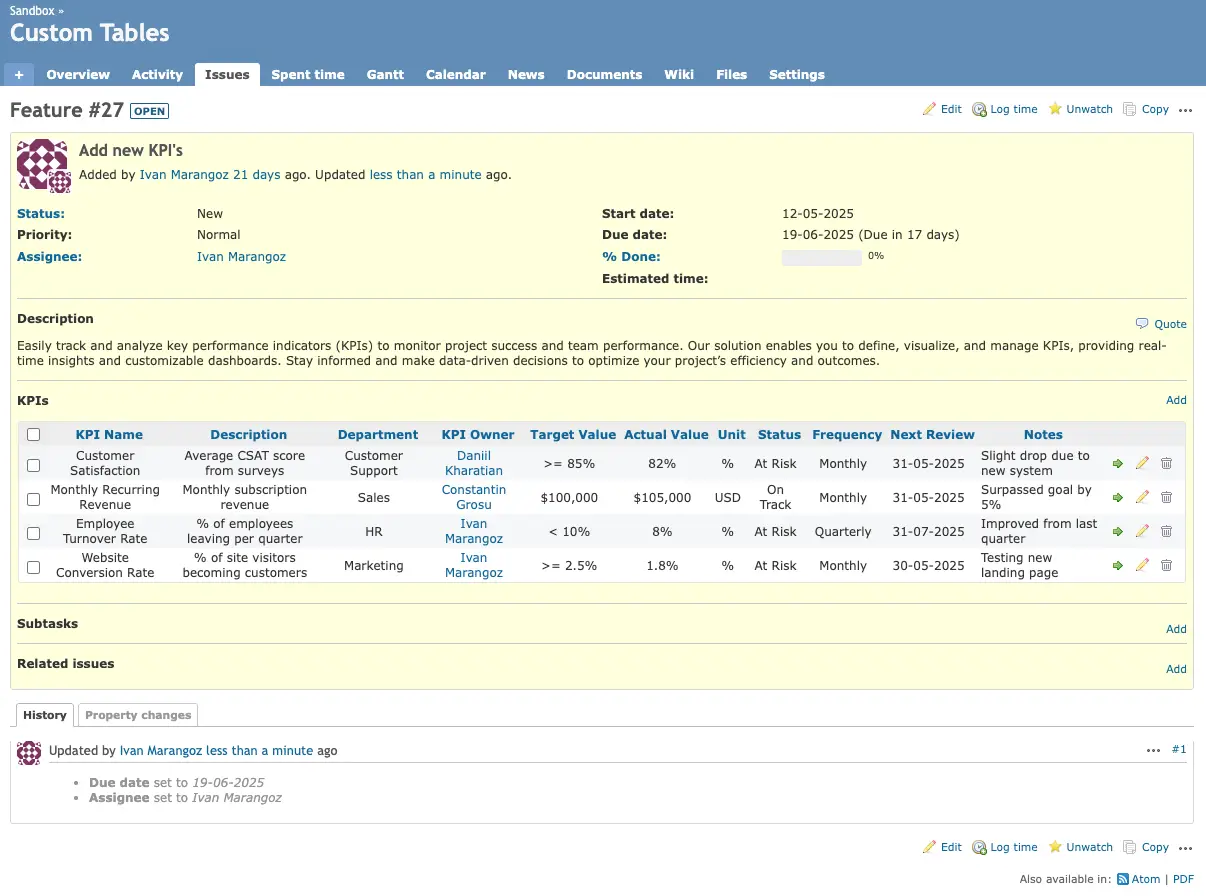
Easily track and analyze key performance indicators to monitor project success and team performance. Define, visualize, and manage KPIs with real-time insights and customizable dashboards to support data-driven decisions.
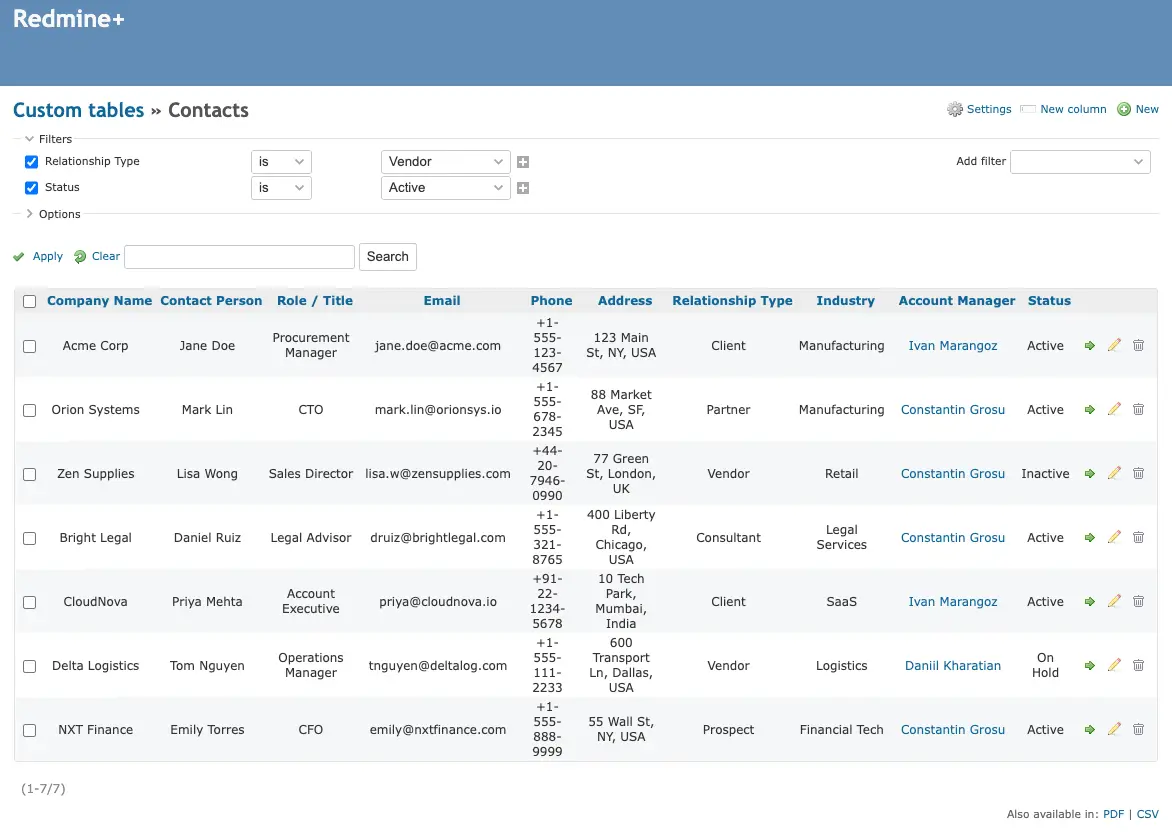
Manage personal contacts with attributes such as name, address, email and phone number, and link them to entities like tasks and projects. The relation works both ways, so you can view contacts tied to each entity.
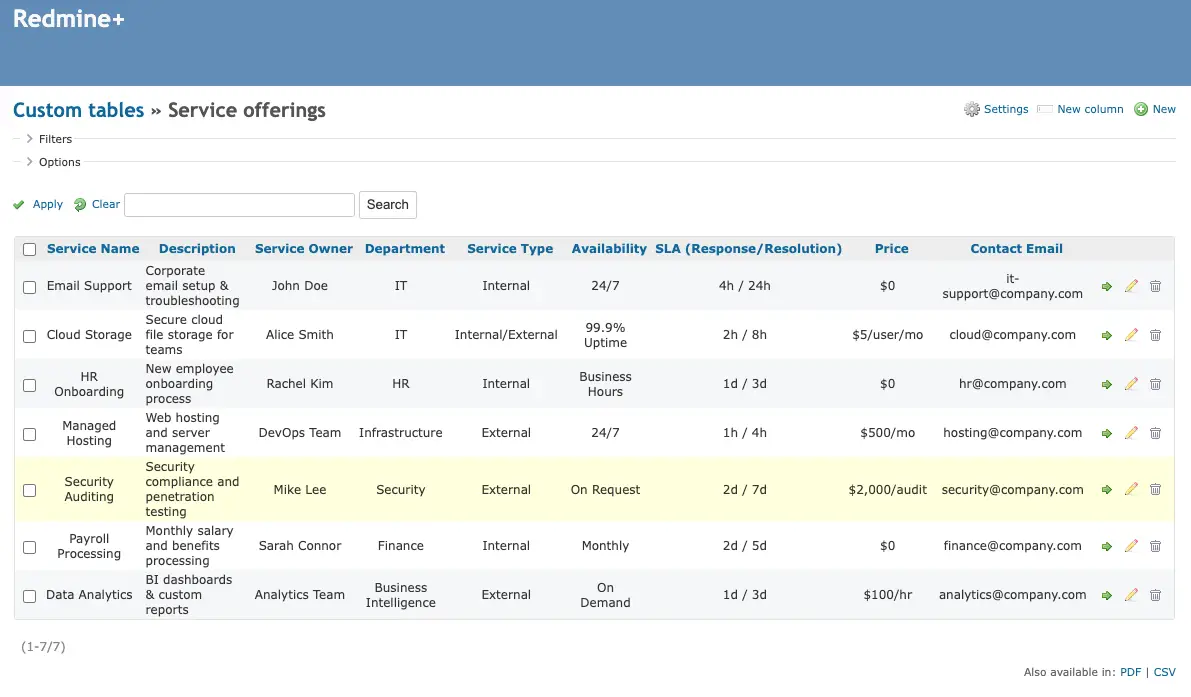
Manage services as assets. Maximize benefits by linking services to designated projects and ensuring your company's resources are allocated effectively.
Voluptate velit esse cillum dolore eu fugiat nulla pariatur.
August 29, 2025
Discover the 10 most essential automations every Redmine team should implement with the Redmine+ Automation Plugin.
Read More
August 27, 2025
Use schedule-based automation rules to run recurring operations without manual effort.
Read More
August 25, 2025
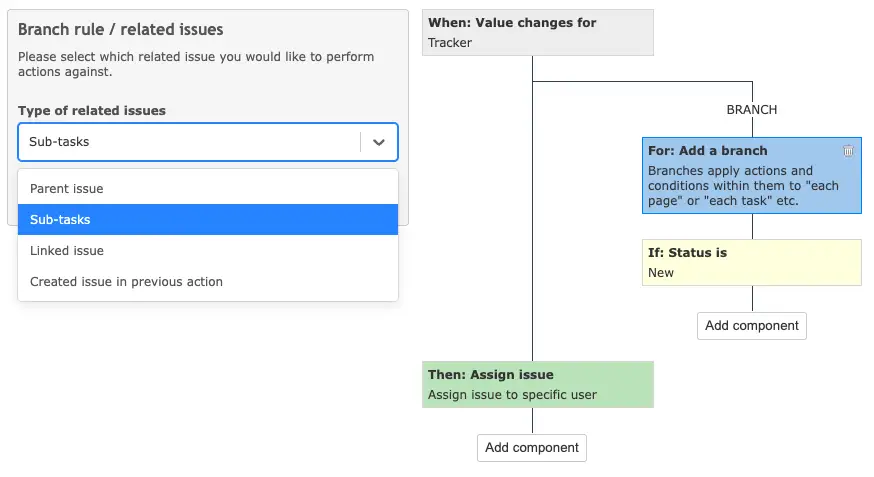
Automatically assign new issues using round robin, balanced workload, or random assignee.
Read More