
Automate Repetitive Tasks
Create rules to handle routine actions like status changes, field updates, or notifications.
The Redmine Automation plugin eliminates manual, repetitive tasks by streamlining and automating your team's processes and workflows, boosting efficiency and productivity.
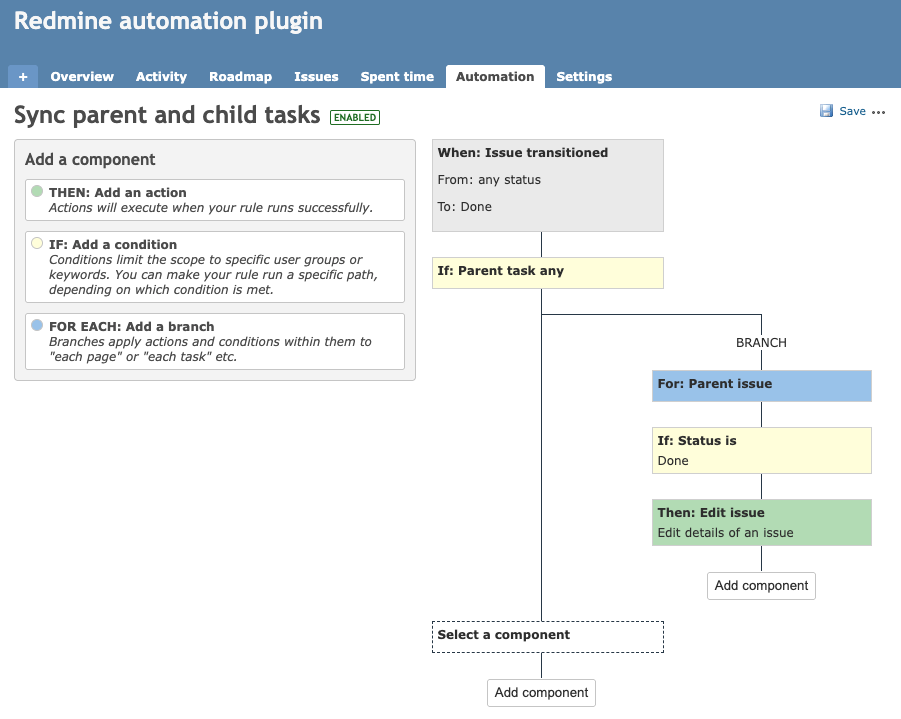
The Redmine Automation Plugin brings powerful, rule-based automation to your Redmine projects, eliminating the need for manual, repetitive actions. Inspired by Jira Automation, this plugin helps you streamline workflows, boost team efficiency, and reduce human error.
Create custom rules using triggers, conditions, and actions. Whether you manage support tickets, development tasks, or business workflows, this plugin adapts to your process and automates it behind the scenes.
Request a demoCreate rules to handle routine actions like status changes, field updates, or notifications.
Trigger actions based on issue events: creation, update, status change, and more.
Built natively for Redmine. Works perfectly with your existing projects and custom fields.
Let your team focus on what matters by reducing manual overhead.
No code experience is needed to operate within our add-on.
If you've used Jira automation rules, you'll feel right at home. The same power, now inside Redmine.
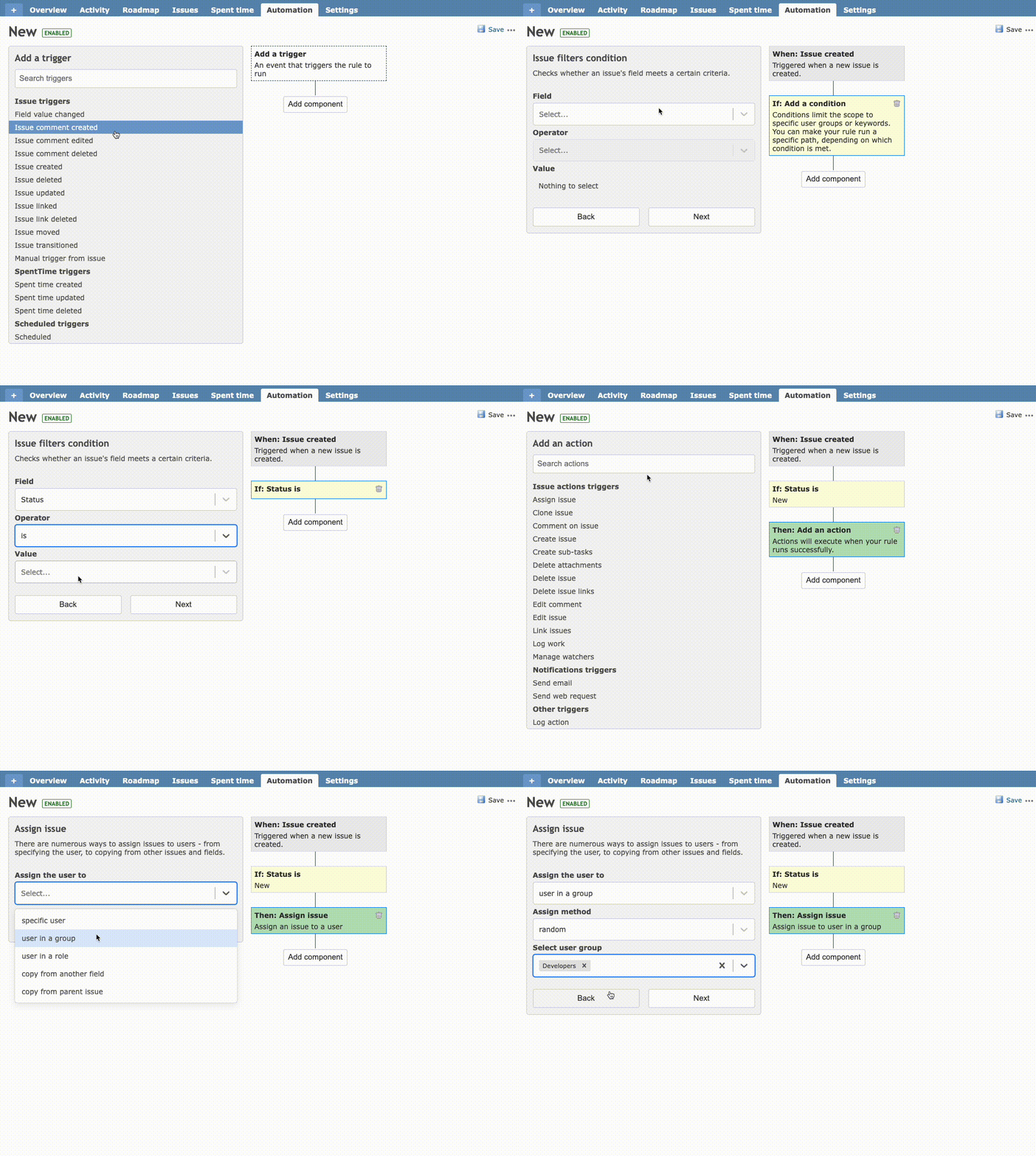
e.g., Issue created, updated, status changed.
Define filters like priority, tracker, or assignee.
Update fields, assign users, send notifications, and more.
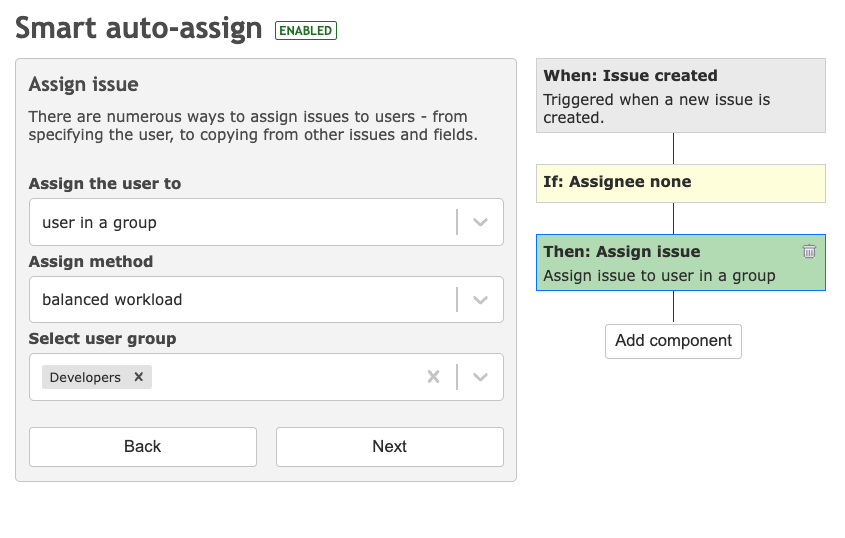
Tired of manually assigning new issues to team members? With Redmine Automation, you can automatically assign newly created issues based on your preferred logic, such as round-robin distribution, fixed user assignment, or balanced workload. Whether you are managing a helpdesk, development team, or support queue, this automation ensures that no issue goes unassigned and that work is evenly distributed.
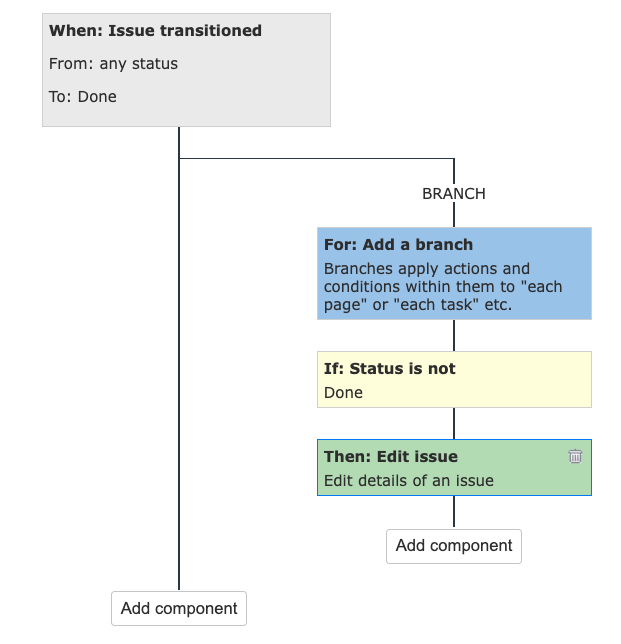
Keep your issue hierarchy clean and your workflows consistent by automatically closing all child issues when a parent issue is marked as completed. This automation rule ensures that once the main task is done, all related subtasks are properly wrapped up, saving you time and avoiding forgotten or orphaned issues.
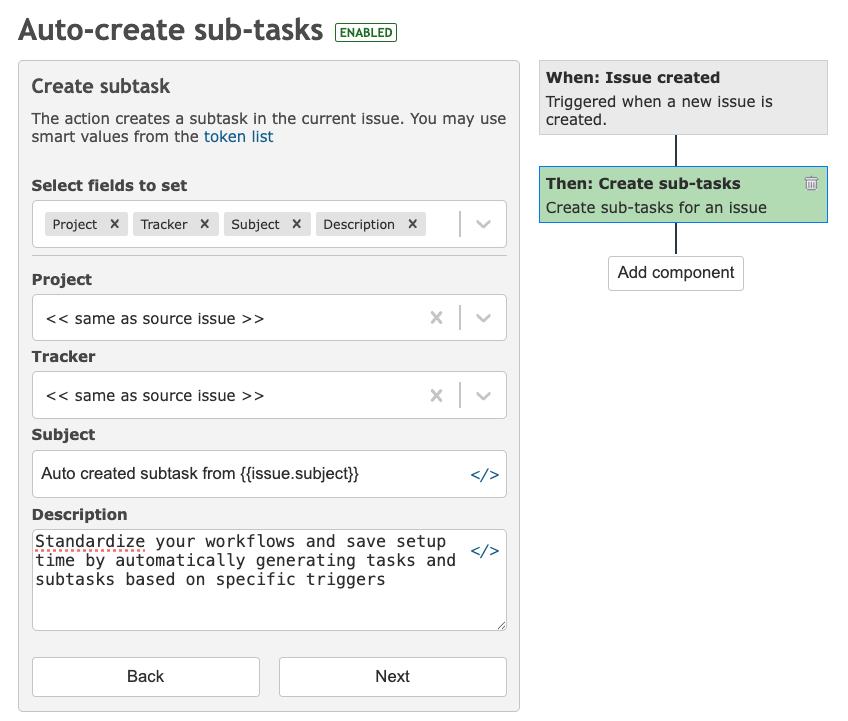
Standardize your workflows and save setup time by automatically generating tasks and subtasks based on specific triggers. Whether you are onboarding a new project, logging a customer request, or starting a bug report, this automation can instantly create a predefined set of issues so nothing is missed.
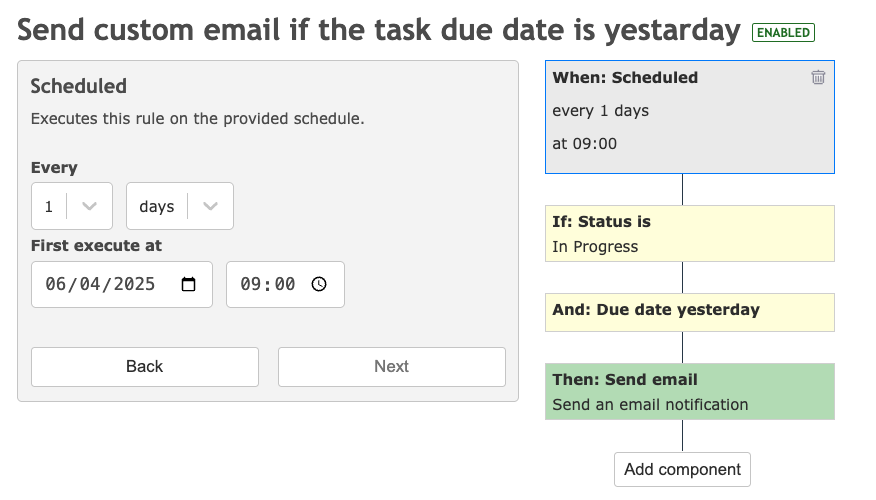
Need to perform routine actions at specific times without manual intervention? With scheduled triggers, you can automate tasks to run daily, weekly, or at custom intervals, perfect for maintenance tasks, reminders, or workflow updates.
$0
Enjoy free Redmine Automation plugin.
$900
Download and install on your server.
| Feature Category | Community (Free) | Pro Version |
|---|---|---|
| Triggers |
|
|
| Actions |
|
|
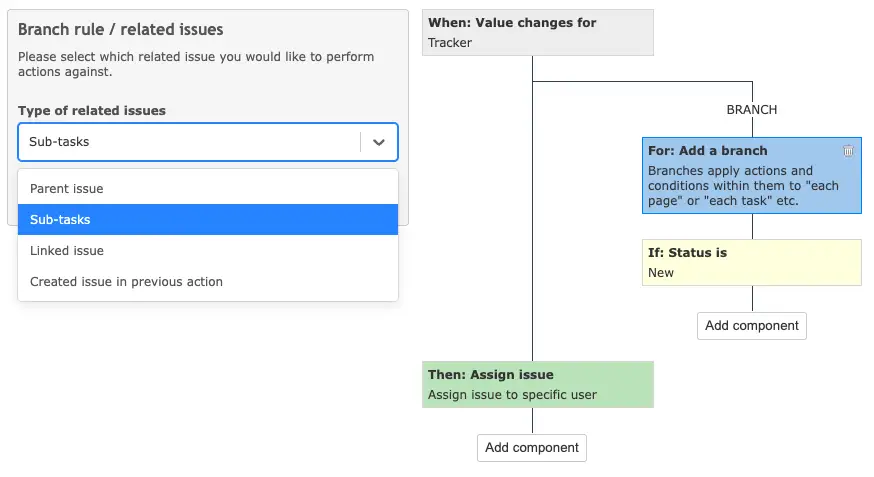
| Branches for Related Issues |
|
|
| Advanced Redmine Query Language |
|
|
| Support & Updates |
|
|
August 29, 2025
Discover the 10 most essential automations every Redmine team should implement with the Redmine+ Automation Plugin.
Read More
August 27, 2025
Use schedule-based automation rules to run recurring operations without manual effort.
Read More
August 25, 2025
Automatically assign new issues using round robin, balanced workload, or random assignee.
Read More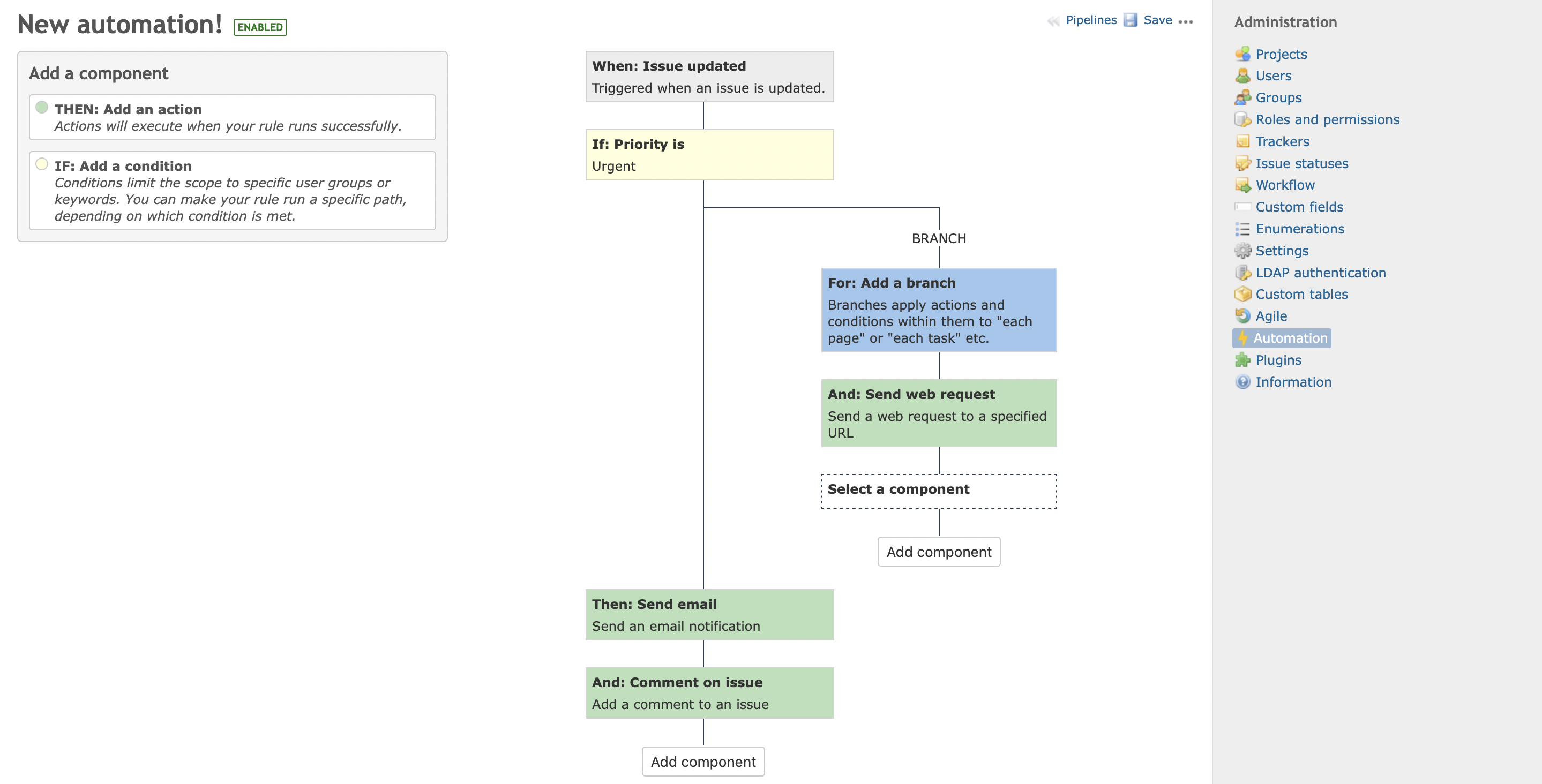
August 23, 2025
A practical overview of Redmine automation capabilities and implementation patterns.
Read More