
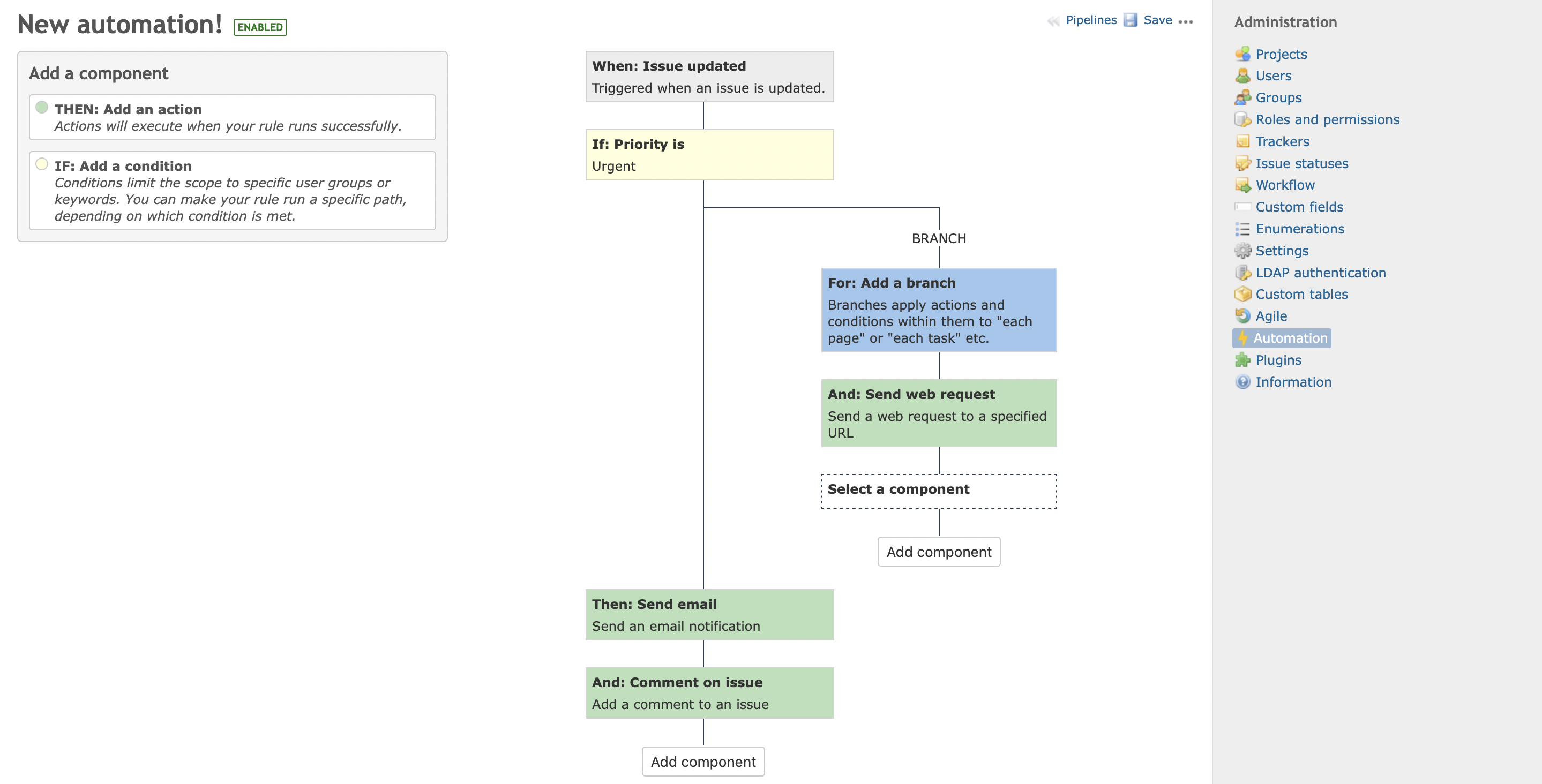
The Redmine+ Automations Plugin helps teams remove repetitive work and enforce consistent workflow rules.
It supports event-based and time-based automation for issues and time entries, with full visibility into execution logs.
Core building blocks
Triggers
Automations start from a trigger, such as:
- Issue created/updated/deleted
- Comment created/edited/deleted
- Spent time created/updated/deleted
- Scheduled trigger (time-based)
Conditions
Conditions decide whether a rule should continue:
- Project or tracker filters
- Field values (status, priority, assignee, custom fields)
- Date and time logic
- Author/group checks
Actions
Actions execute when conditions pass:
- Assign issue
- Edit issue fields
- Create issue or subtasks
- Add comments
- Send email
- Send web request (webhook)
- Log action
Branches
Branches provide if / else behavior so one rule can process multiple scenarios cleanly.
Typical implementation flow
- Define the business outcome (for example: “all overdue support issues must be escalated”)
- Start with one trigger
- Add only necessary conditions
- Add one or two actions
- Test on a staging project
- Enable in production and monitor logs
Permissions
Control rule management through Redmine roles:
- View automation rules
- Manage automation rules
- Execute manual triggers (if applicable)
Use least-privilege access for production environments.
Best practices
- Keep rules small and explicit
- Prefer multiple focused rules over one giant rule
- Name rules clearly (
[Support] Escalate overdue P1) - Add log actions while testing
- Review rule performance monthly
Helpful related guides
- Install guide: How To Install Redmine Automation Plugin
- Time-based workflows: How to Use Scheduled Triggers in Redmine Automation Plugin
- Practical scenarios: 10 Essential Automations for Redmine